Choosing an AI assistant for small business that you can actually trust is harder than the adverts suggest. There are hundreds of tools, most promise the same things, and the prices run from a few pounds a month to a five-figure project.
The good news is that you do not need to understand the technology to choose well. You need to know which job you want done, what it will really cost, and how you will check the answers. That is what this guide to choosing an AI assistant for small business covers.
We compare off-the-shelf tools with custom builds, and give you five practical checks to make before you spend money. We also say plainly when your firm does not need an AI assistant at all.
Table of Contents
AI assistant for small business: what to know first
An AI assistant is software that understands plain English and responds in kind. You ask a question or give it a task, and it writes an answer, drafts an email, or finds information in your files. Some live on your website and talk to customers. Others sit behind the scenes and help your team.
The word “assistant” covers very different things. A general tool like a chat app can draft text and summarise documents. A website chatbot answers customer questions. A custom AI assistant can be trained on your own documents so it answers from your policies, prices and procedures.
Adoption is moving fast. Research from the British Chambers of Commerce and Atos found that 54% of UK SMEs are now actively using AI, up from 35% in 2025 and 25% in 2024.
Fast adoption does not mean every choice is a good one. Many firms buy a tool, use it twice, and forget it. The aim of choosing an AI assistant for small business that your team will actually use is to start with the problem, not the product.
Where most firms start
Marketing is the most common starting point. The Department for Science, Innovation and Technology found that marketing is the top use case, named by 72% of adopters. That usually means drafting social posts, emails and product descriptions.
Marketing is a sensible first step because mistakes are cheap and a person reads everything before it goes out. Customer service and internal knowledge are the next big areas, and they need more care because wrong answers cost more.
Off-the-shelf or custom: the real trade-offs
This is the biggest decision. Off-the-shelf means you subscribe to a product that already exists. Custom means someone builds an AI assistant for your small business around your documents and your process. Neither is better in every case.
Off-the-shelf tools are the quickest option. You can sign up this afternoon and be testing by tomorrow. They suit common jobs such as drafting content, transcribing meetings or handling basic website chat. The downside is that they know nothing about your business unless you feed them information every time.
Custom builds take longer, often a few weeks. They cost more upfront. In return, the assistant answers from your own material, fits your process and does not charge you per user or per feature.
| Off-the-shelf tool | Custom-built assistant | |
|---|---|---|
| Time to start | Same day | A few weeks |
| Upfront cost | Low or none | Fixed project fee |
| Ongoing cost | Monthly subscription | Smaller running costs |
| Knows your business | Only what you paste in | Trained on your documents |
| Flexibility | Limited to the product | Built around your process |
| Best for | Common, generic jobs | Specific, repeated, high-value jobs |
What the published costs look like
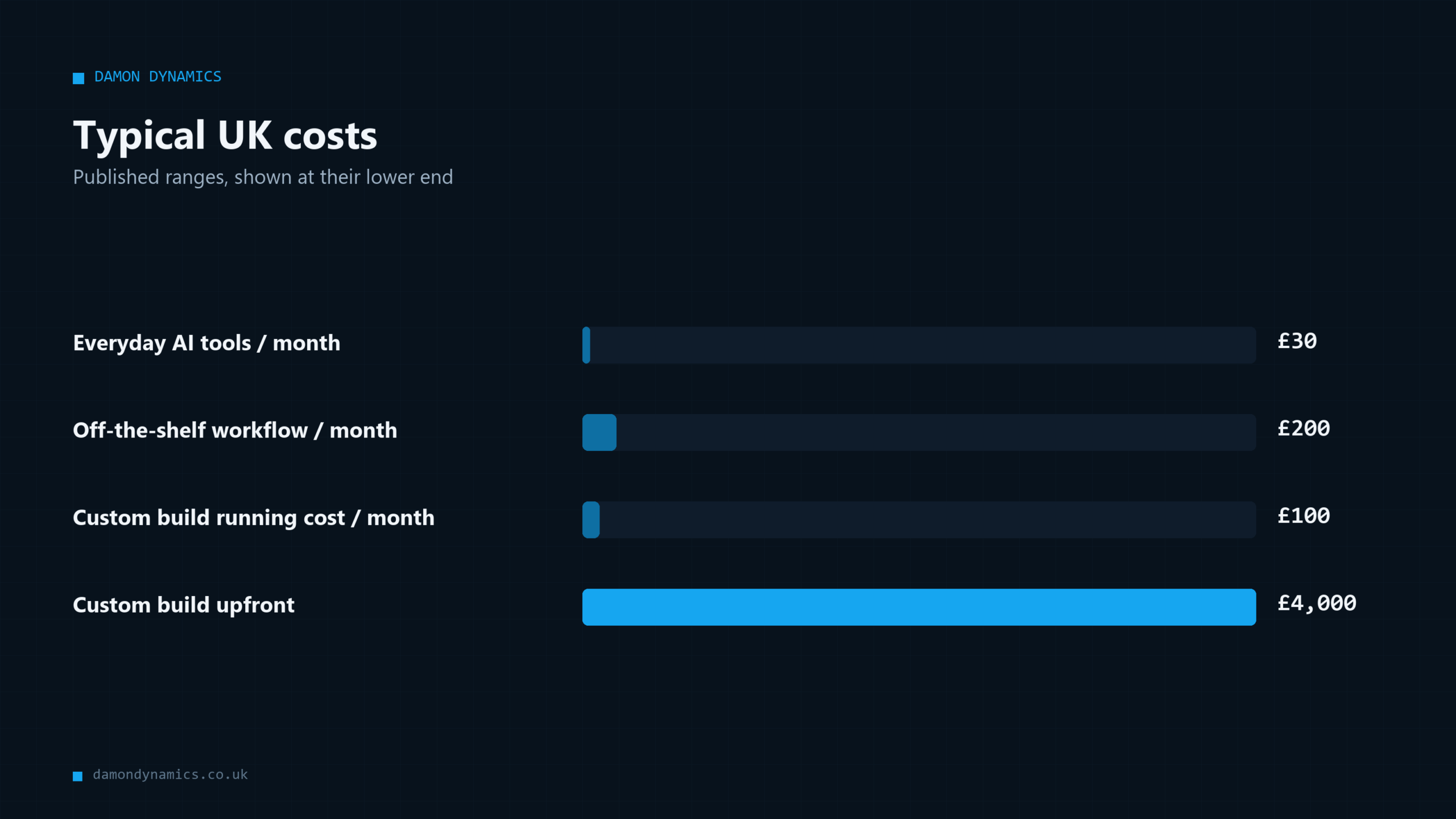
One 2026 UK guide from Nexa Development puts the figures like this. Off-the-shelf AI tools typically cost £200 to £800 per month per workflow, while custom-built automations cost £4,000 to £12,000 upfront plus £100 to £300 per month to run.
Your quote will depend on the job. Still, the figures show the shape of the choice: low entry cost but a bill that never ends, against a larger one-off cost with smaller running costs.
For everyday use, the numbers are much smaller. Research from Original Objective found that most UK small businesses spend £30 to £80 per month on AI tools and can save 10 or more hours of work per week. That is the general tool end of the market, and it is a good place to start.
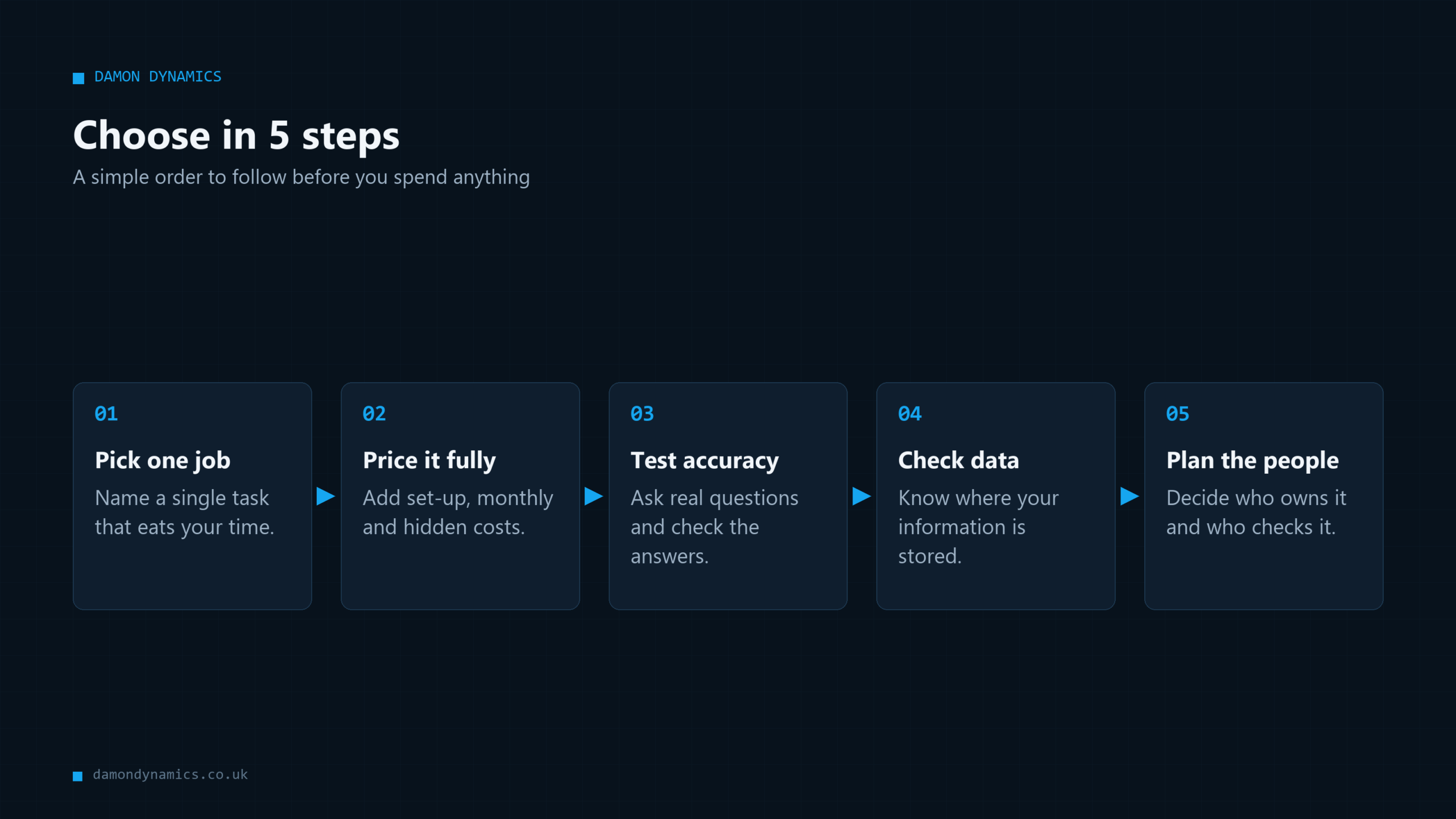
Way 1: start with one job, not a tool
The most common mistake is shopping for a tool before naming a job. Then every demo looks impressive and nothing gets used. Flip it round. Write down one task that is slow, repeated and annoying.
Good first jobs for an AI assistant in a small business share a few traits:
- Someone does it every week, or every day.
- The answer already exists somewhere in your files or head.
- A mistake is easy to spot before it causes harm.
- You can measure the time it takes now.
Examples include answering the same ten customer questions, writing first drafts of quotes, summarising supplier emails, or finding policy details for staff. Our guide to AI automation for small business lists nine jobs that are worth automating first.
Measure before you buy
Time the job for one week. If it takes three hours a week at £20 an hour, that is about £60 a week, or roughly £3,000 a year. For example, if an AI assistant costs £400 a month and saves only two hours a week, it does not pay for itself.
This simple sum protects your budget. Choosing an affordable AI assistant for small business starts with knowing what the problem costs today. Without that number, you cannot judge any price.
Way 2: count the full cost, not the headline price
A monthly fee is only part of the cost. Subscriptions per user add up. Some tools charge extra for more conversations, more documents or more connections to other software. Set-up and staff time cost money too.
For an off-the-shelf AI assistant, ask:
- What is the price per user, per month?
- Are there limits on messages or documents?
- What does the next plan up cost?
- Is there a contract, and how do I cancel?
- How much of my time will set-up and checking take?
For a custom build, ask:
- Is the quote fixed, or charged by the day?
- What is included after launch?
- What are the monthly running costs?
- Who owns the finished work?
- Can I take it elsewhere if I want to?
Our guide to AI chatbot costs in the UK goes through seven hidden fees in more detail.
A simple three-year comparison
Here is a clearly labelled example using round numbers inside the published ranges. Suppose an off-the-shelf tool costs £300 a month. Over three years that is £10,800. A custom build at £6,000 upfront plus £150 a month is £11,400 over the same period.
So the two come out close. The difference is what you get. The custom assistant is built around your documents and process, and you own it. The subscription is easier to start and easier to drop. Your own numbers will differ, so do this sum with real quotes.
Way 3: test the answers with your own questions
Every AI assistant for small business will look clever in a demo. The demo uses questions chosen to go well. Your customers will not be so kind. Before buying, test with your own awkward questions.
Collect 20 real questions for your AI assistant trial from emails, calls and messages. Include the tricky ones, the ones with exceptions, and the ones where the right answer is “I’m not sure, ask a person”. Then see what the assistant does with each.
Score each answer as correct, partly correct, wrong, or made up. Made-up answers are the real danger. AI tools can sound confident when they are wrong, and customers believe confident text.
Why sources matter
An assistant that shows where its answer came from is much safer than one that does not. This approach is often called retrieval-augmented generation, or RAG. In plain terms, the assistant looks up your documents first, then writes an answer from what it found and cites it.
If an answer cites your returns policy, you can click through and check. If it cites nothing, you are trusting the tool blindly. For anything customer-facing, ask for citations and a clear “I don’t know” when the documents have no answer.
You can see this approach working in our public product, Plainly Benefits, which answers PIP and Universal Credit questions from official gov.uk guidance and shows its sources. Our post on working while claiming PIP shows the kind of questions it handles.
Way 4: check where your data goes
Your documents, customer details and prices may pass through any assistant you use. That raises two questions: where is the data stored, and is it used to train anyone else’s models?
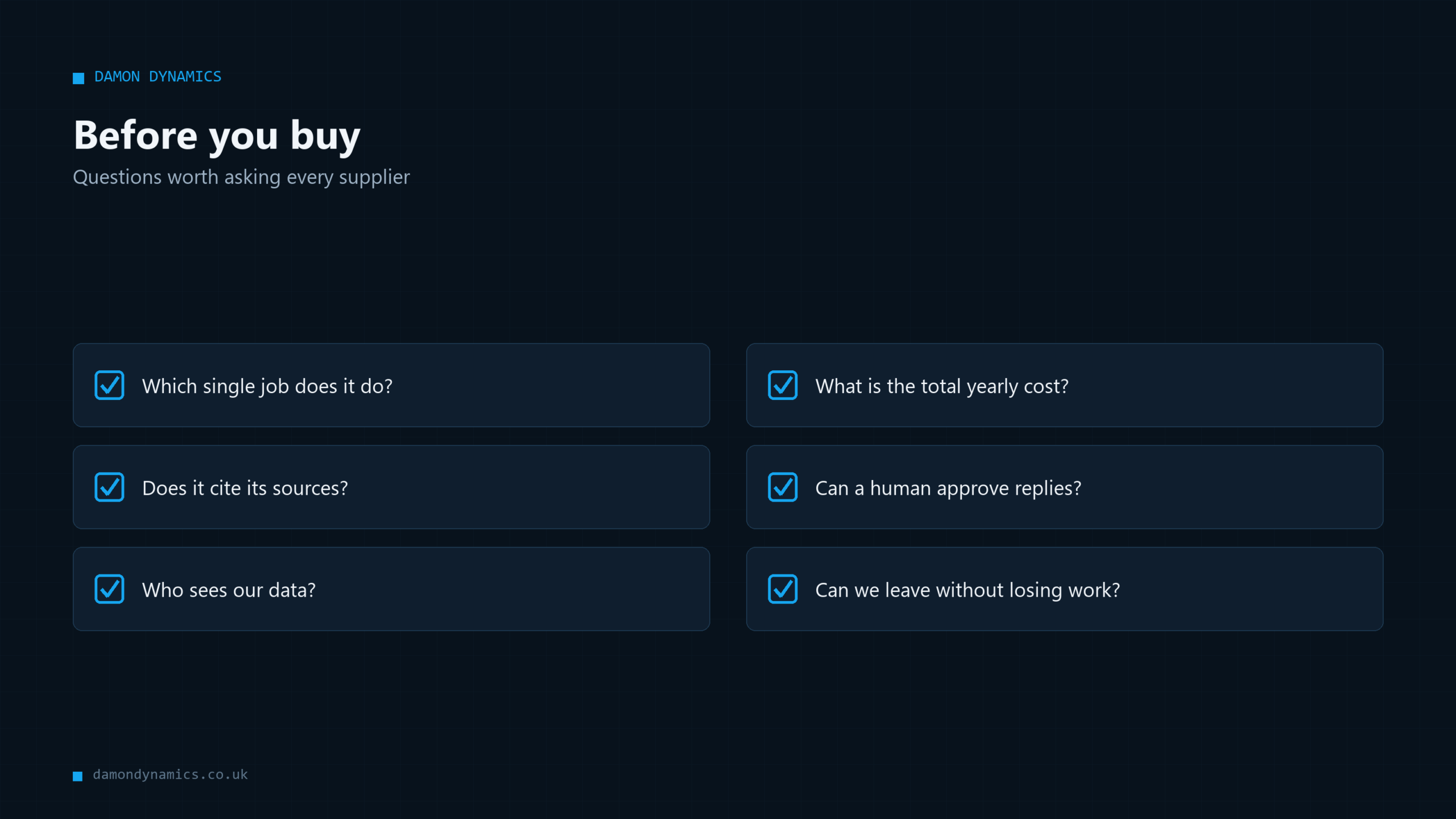
Ask every supplier these plain questions:
- Where is my data stored and processed?
- Is my data used to train models for other customers?
- Who at your company can see my documents?
- Can I delete everything if I leave?
- Do you have a privacy policy I can read?
If you handle personal data, UK data protection law applies to you. You stay responsible for how customer information is used, even when a supplier handles it. For regulated work, such as health or finance, check with your adviser before loading anything sensitive.
A practical rule: do not paste customer personal details into a general chat tool unless you have checked its terms. For an AI assistant your team uses daily, it is better to set simple rules in writing. Say what staff can and cannot paste in. Our own privacy policy shows the sort of plain detail you should expect from any supplier.
Keep a human in the loop
For anything customers see, a person should approve it, at least at first. That can be a quick check of a drafted email or a review of chat logs each week. Over time, as you see the error rate, you can decide how much to loosen the checks.
This is not about distrust of the tool. It is the same rule you would apply to a new member of staff in their first month.
Way 5: plan for people, not just software
An AI assistant for small business does not fix itself. Someone needs to own it, keep the documents up to date, and review the answers. Without an owner, it drifts and quietly becomes wrong.
Skills are a real barrier. The Federation of Small Businesses reports that skills and knowledge gaps are the biggest barrier to AI adoption, with 46% of small firms saying they lack the knowledge to use AI. If that sounds like you, you are in the majority, and it should shape your choice.
If your team is short of time or confidence, favour simpler tools or a supplier who handles the technical side and hands it over with clear notes. If someone on your team enjoys tinkering, off-the-shelf tools can go a long way with a few hours of practice.
Who should own it?
Pick one named person. Their job is small: check a sample of answers each week, update documents when prices or policies change, and tell you if something looks wrong. Give them an hour a week and tell the team who they are.
Training matters too. Show staff what the assistant is good at, where it fails, and what they should never paste into it. An AI assistant your staff understand will be used well. One they fear or ignore will waste your money.
When you do not need an AI assistant
AI is not always the answer. Some jobs are better solved with a simple fix, and it is worth being honest about that before spending anything.
You probably do not need a custom assistant if:
- You get only a handful of customer questions each week.
- Your answers change daily and nobody has time to update documents.
- A clear FAQ page or a short email template would do the job.
- The task needs human judgement, empathy or legal accountability.
- Your records are in such a mess that the assistant would have nothing reliable to read.
In the last case, tidy first. An AI assistant for small business is only as good as the documents behind it. A day spent organising your files may do more than any software.
Sometimes a plain automation, with no AI at all, is the cheaper answer. Moving data between your booking system and your spreadsheet, for example, is a rules job. Our guide to AI automation for small business explains where each approach fits.
A sensible starting path
For most firms, a good path looks like this. First, try a general tool at £30 to £80 a month for drafting and summarising. Second, note which jobs you keep returning to. Third, if one job is repeated, valuable and needs your own information, price a custom AI assistant for that job alone.
This keeps your risk low. You learn what works before committing to anything large, and you only build custom where it clearly pays.
How Damon Dynamics builds an AI assistant for small business
Damon Dynamics is an AI engineering company in Bradford, West Yorkshire. We work with businesses across Yorkshire, including Leeds, Halifax, Huddersfield, Wakefield and Keighley, and remotely anywhere in the UK.
The company is run by Damon, who holds an MSc in Artificial Intelligence and Data Science from the University of Hull. He builds every project himself, so you talk to the engineer, not a sales team.
We build assistants grounded in your own documents that cite their sources, plus AI-powered web apps, automation pipelines and data dashboards. You can see our services and our live products, including Plainly Benefits and WaitWell, which helps people on NHS waiting lists. There is more on that in our post on what to do while waiting for NHS treatment.
Our way of working is simple:
- A free 30-minute discovery call to understand the job.
- A fixed written quote, with no day rates.
- One workflow first, as a fixed-price project.
- A human approves anything customer-facing.
- Everything is documented and handed over, with no lock-in.
If we think a simpler tool will do, we will say so. You can read more about Damon on the site.
**Not sure whether to buy a tool or build one? Book a free 30-minute discovery call and get an honest answer.**
Want an assistant like this on your own website? Our AI chatbot is built from your own site, answers only from your information and costs £99 a month with no setup fee. You can try a free demo on your website first.
Frequently Asked Questions
What is the best AI assistant for a small business?
There is no single best option. The right choice depends on the job, your budget and how much your answers must rely on your own documents. Start with a general tool for drafting and summarising, and consider a custom build for one repeated, high-value task.
How much does an AI assistant cost for a small UK business?
Everyday AI tools often cost £30 to £80 per month, according to Original Objective research. Specific workflow tools can run £200 to £800 per month, while custom builds are quoted at £4,000 to £12,000 upfront plus £100 to £300 per month, according to Nexa Development. Always ask for a full written quote.
Is a custom AI assistant worth it for a small firm?
It can be, when a job is repeated often, needs your own information and has a clear cost today. If you only have a few queries a week, a simple FAQ or a general tool is usually enough. Work out the yearly cost of the problem before you decide.
Can an AI assistant answer customer questions safely?
Yes, if it answers from your own documents, cites its sources and says when it does not know. A person should approve anything customer-facing, at least at the start. Test it with 20 real, awkward questions before going live.
Do I need technical skills to use an AI assistant?
Not for a general AI assistant, which you use by typing plain English. Skills gaps are common, though, and the FSB says 46% of small firms lack the knowledge to use AI. A supplier who documents the work and hands it over can close that gap.
Is my business data safe in an AI assistant?
It depends on the supplier. Ask where data is stored, whether it trains other customers’ models, who can see it, and how to delete it. Avoid pasting personal customer details into general tools unless you have checked the terms.
How long does it take to set up an AI assistant?
A general AI assistant can be running the same day. A custom assistant usually takes a few weeks, depending on how many documents it needs to read and how much testing is required. Starting with one workflow keeps the timeline short and the risk low.